
WhippyTerm
WhippyTerm uses a standard Windows installer executable (.exe) to install.
You download the "Windows Installer" version of WhippyTerm, open the directory with the .exe you downloaded and double click on it. This will start the installer which will ask you some questions and then when the button on the bottom changes to "Install" it will copy the needed files on to your system.
You need to have admin rights to be able to for the installer to work. If you do not have admin rights you might want to look at the portable version as it does not actually install anything and doesn't need admin rights.
When you try to run the installer you may get a "Windows protected your PC" window instead of the installer. You need to click on the "Run anyway" button / link (you may need to click on "More Info" to get the button / link).
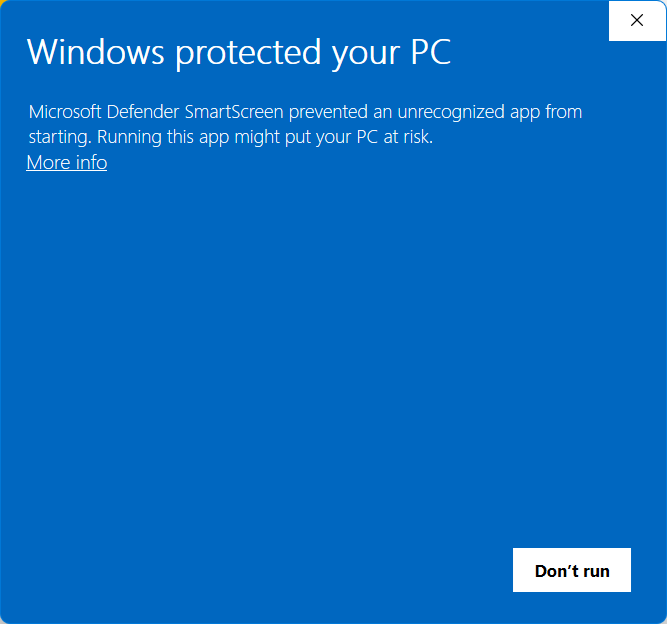
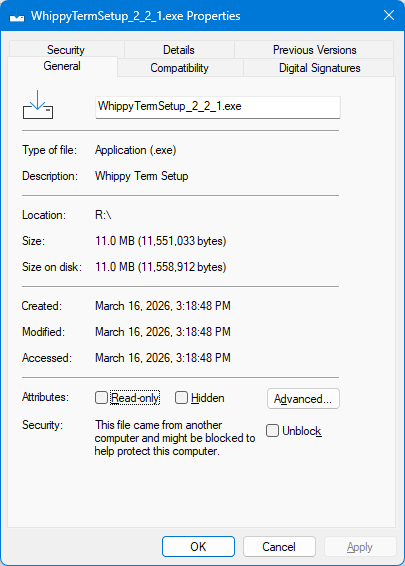
If it doesn't have a "Run anyway" button / link you need to go into the file properties and select "Unblock" (under the General tab). After checking this box you should be able to run the installer.
After you have installed WhippyTerm you will be able to find WhippyTerm in your start menu.